Loading

Service virtualization

Redesigned Cavisson’s Service Virtualization into an intuitive, insight-driven dashboard — empowering testers to simulate unavailable services effortlessly and improve workflow efficiency by 40%.

The Discovery

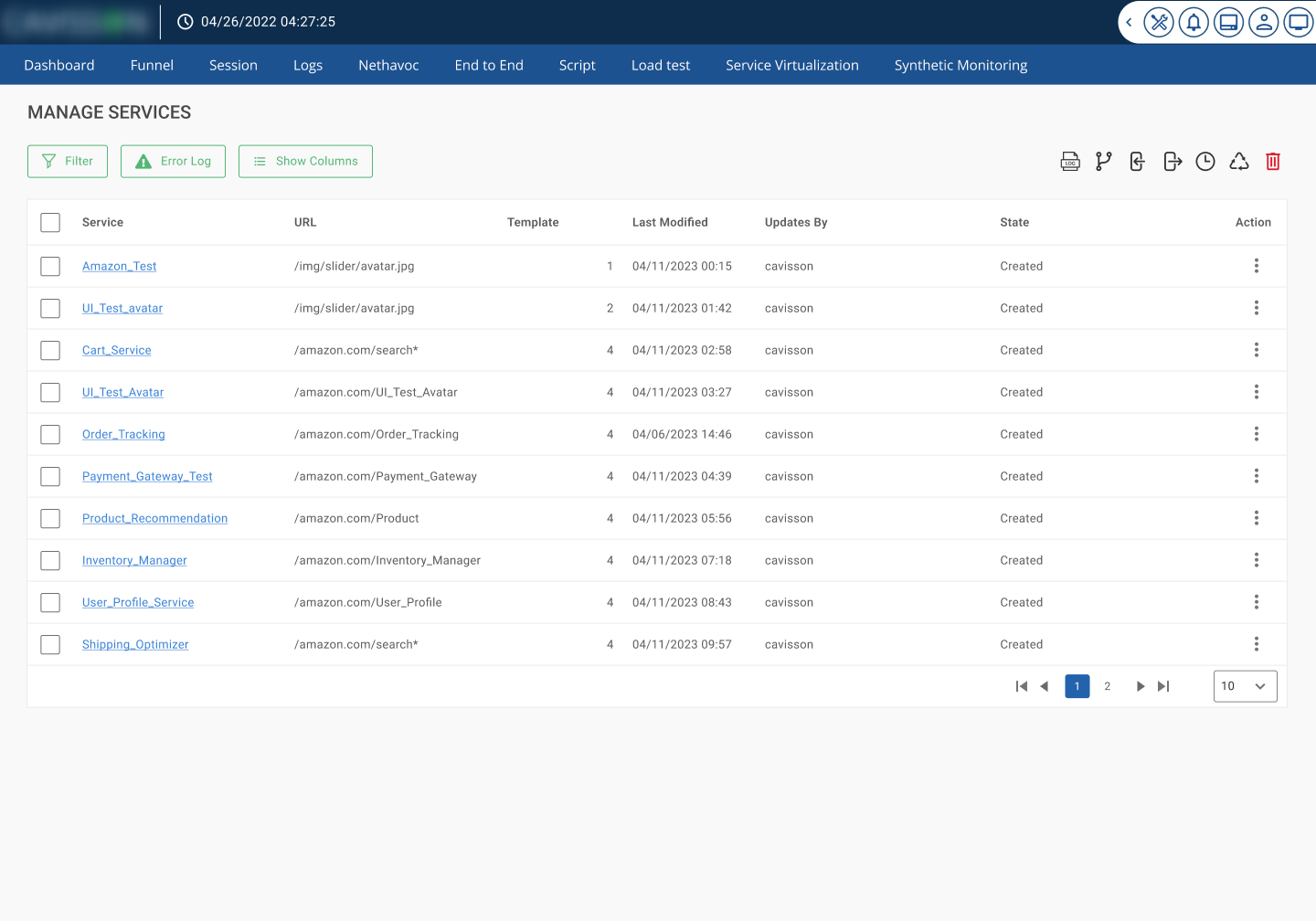
When I started working on the Service Virtualization module, I found that although it was a technically powerful tool, its usability and information presentation were major challenges. The interface was data-heavy, navigation was confusing, and testers struggled to quickly access key operations such as creating, managing, and monitoring virtual services.

The lack of visual hierarchy and cluttered structure made it difficult for teams to understand the system’s current state — slowing down testing cycles and reducing efficiency.

The Goal

To redesign the Service Virtualization experience — making it clear, accessible, and data-intelligent, so testers and developers could easily visualize, create, and manage virtual services without friction.

My focus was to make complex backend operations feel simple, predictable, and actionable.
Applied Principles:

  • Nielsen’s 10 Heuristics: Enhanced visibility of system status, error prevention, and consistency across screens.
  • Gestalt Principles: Organized data and actions into logical visual groups for faster comprehension.
  • Hick’s Law: Reduced decision points per screen by simplifying creation and configuration flows.
  • Fitts’s Law: Placed frequently used controls (e.g., Create Service, Configuration, Monitoring) within easy reach.
  • Color Psychology & Visual Hierarchy: Used clear visual cues to differentiate running, stopped, and deleted services.

Design Focus

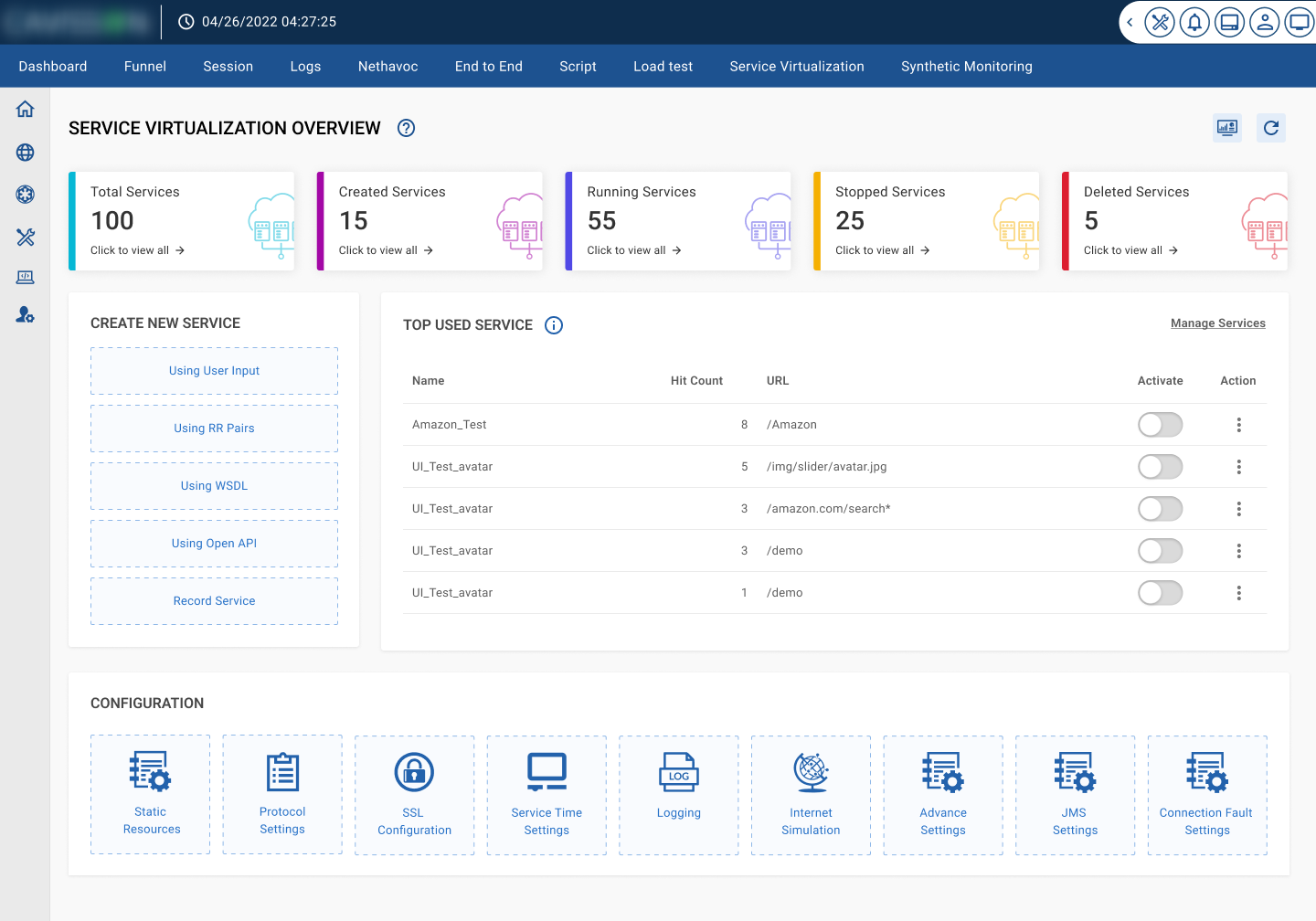
  • Clean, modular dashboard layout displaying total, running, stopped, and deleted services at a glance.
  • Introduced “Top Used Services” for faster access to commonly used setups.
  • Designed an enhanced “Create New Service” flow supporting User Input, WSDL, OpenAPI, and Recording modes.
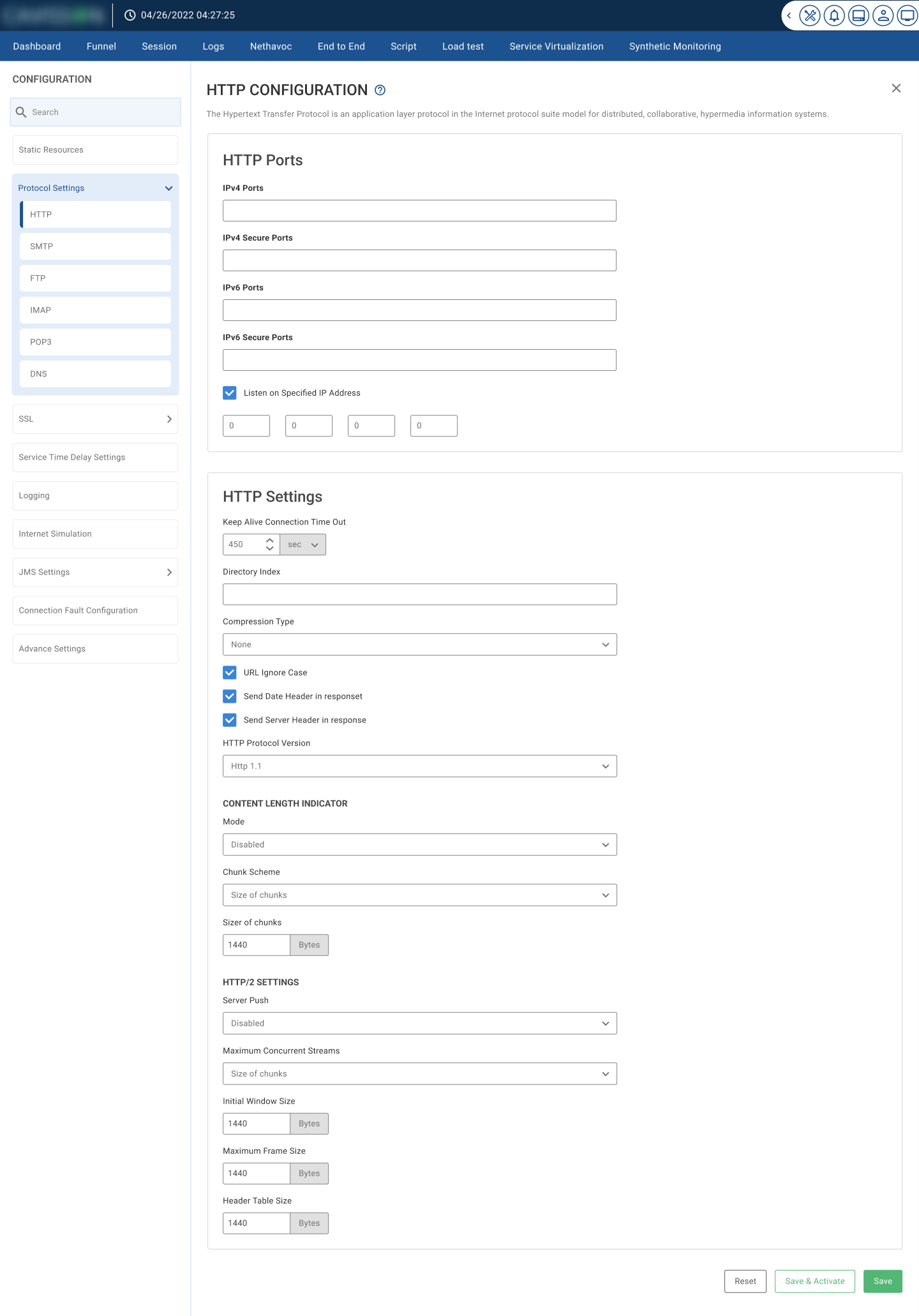
  • Grouped all configuration options (SSL, Logging, Internet Simulation, Protocols) into card-style icons for quick recognition.
  • Created contextual tooltips and validation messages to guide testers during setup.
  • Established a consistent design language aligning with Cavisson’s product ecosystem.
  • Integrated real-time monitoring visuals for active services and network fault simulations.

Important Screens